Facade AI by RenoTrend
Visualize exterior renovation ideas on a photo of your home
Explore facade styles, siding, colors, materials, and targeted exterior changes with AI. Start from a home photo or an elevation drawing, then compare visual concepts before committing to the project.
AI Transformation Examples
Explore exterior transformations on real home photos, from a new facade style to changes in windows, colors, and materials.
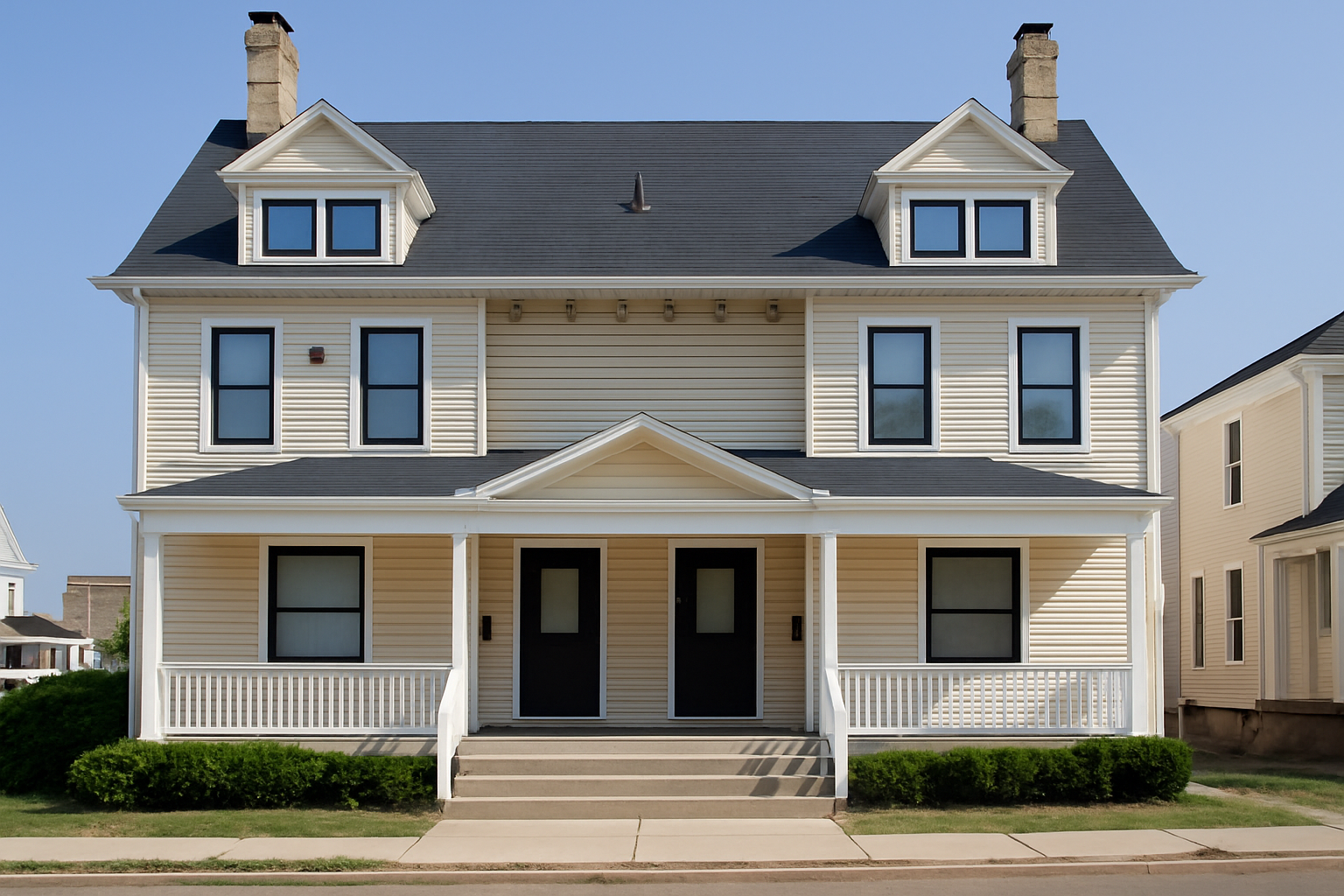
See Facade AI Designer in Action - Window Color Transformation
Watch how Facade AI can test a targeted exterior change, such as changing window colors from white to black.
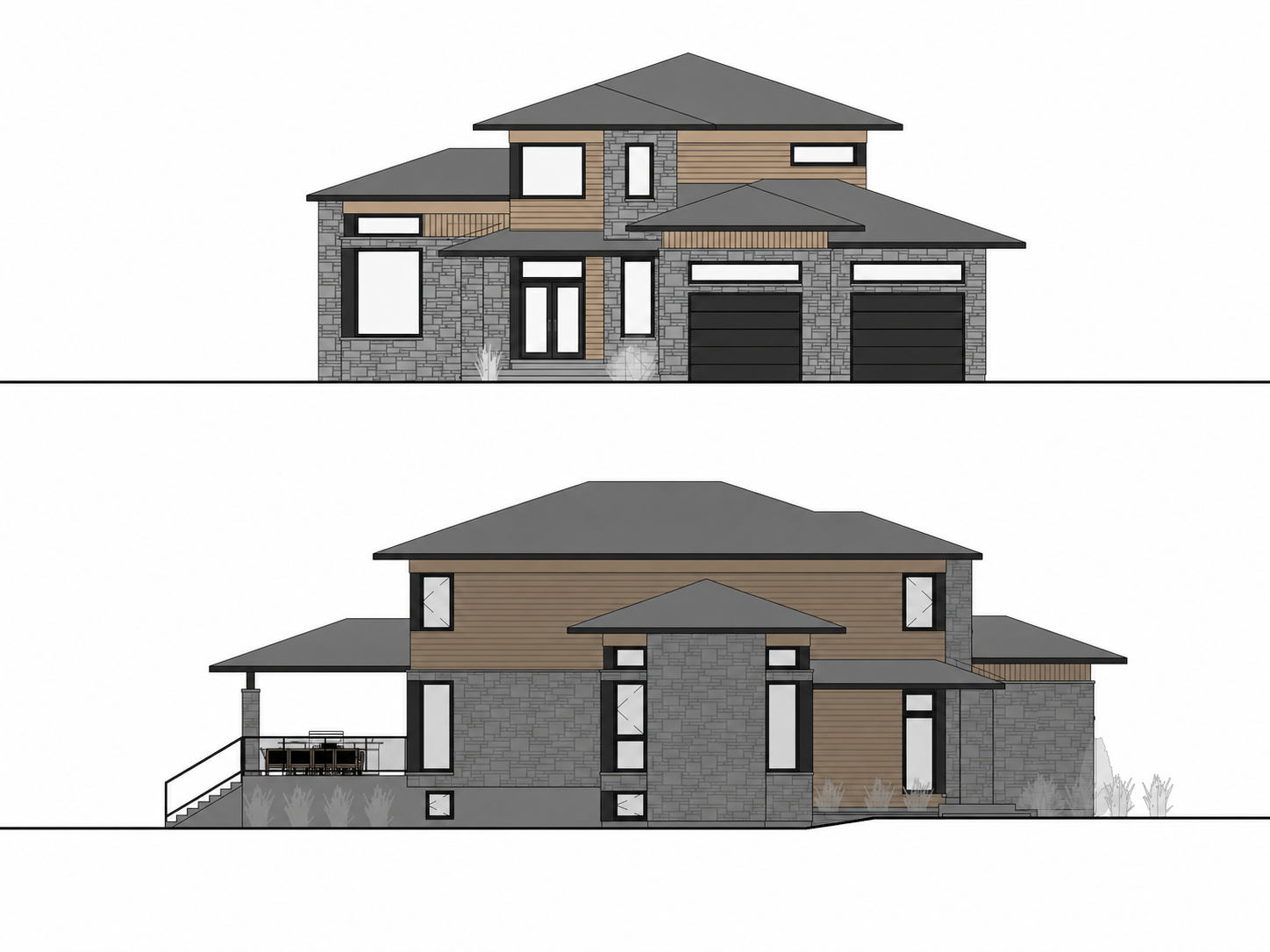
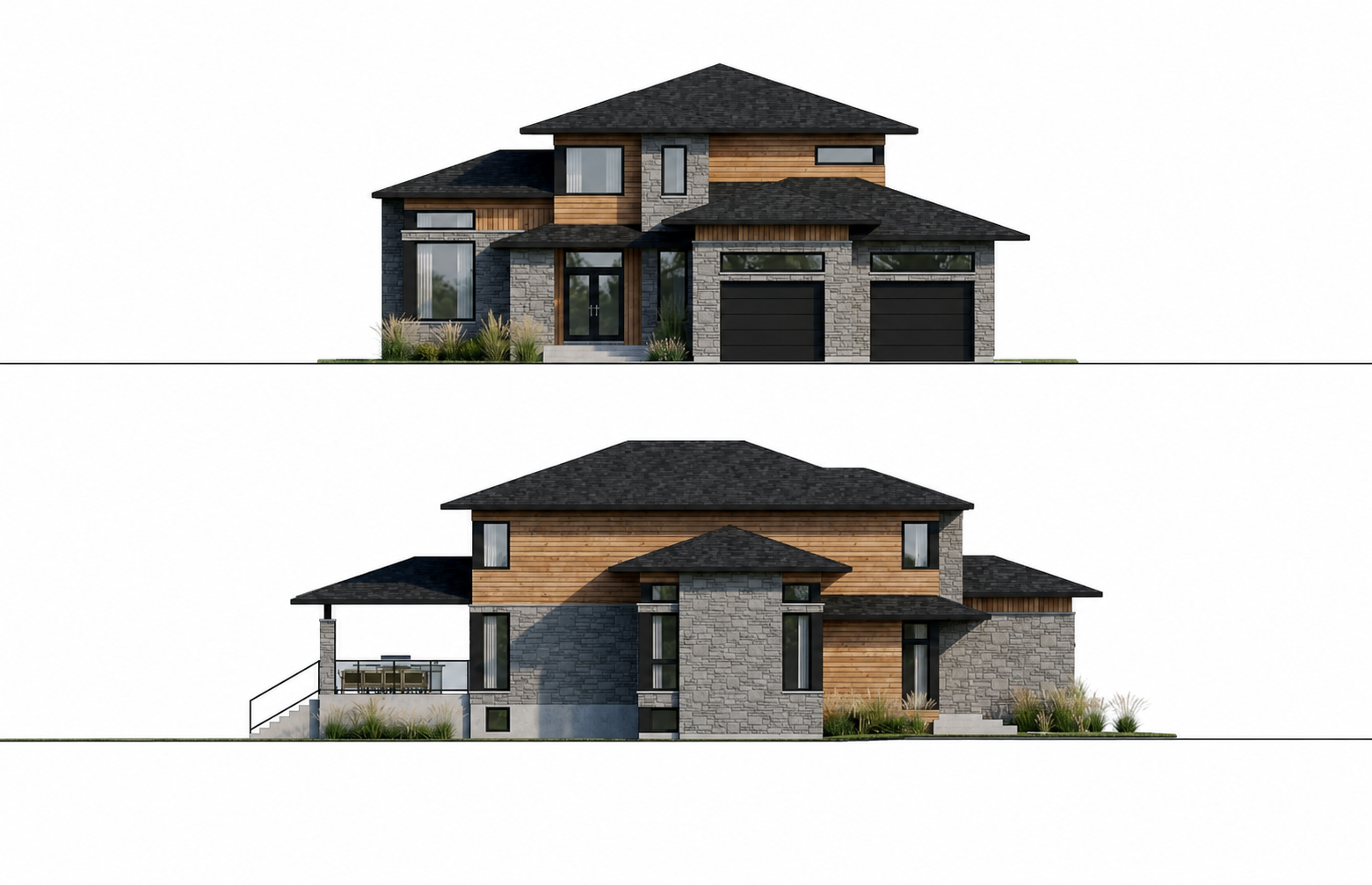
Creation mode starts from elevation drawings and DP4-style facade documents
Facade AI is not limited to photos. In Creation mode, you can start from a clean elevation drawing, exterior elevation, facade drawing, roof plan, existing/proposed elevation set, or a CAD-style facade sheet, then generate a styled exterior concept and explore materials, proportions, windows, and facade direction before the build phase begins.
Useful early in the project
When a site photo does not exist yet, you can still visualize a design direction from permit-style drawings and architectural documents such as DP4 facade views, exterior elevations, existing/proposed sets, and scanned or exported CAD or DWG facade sheets.
From technical drawing to visual concept
Upload the elevation or facade document, describe the desired style, and use Facade AI to turn a flat drawing into a clearer exterior concept or revised facade proposal that communicates the renovation intent clearly.
How Facade AI Works
Move from a home photo or elevation drawing to several exterior design directions.
Upload Your Photo
Upload a clear photo of your home's exterior or an elevation drawing.
AI Analysis
Describe the result you want, select elements, or mask a precise area to guide the transformation.
Get Multiple Designs
Compare generated concepts with different materials, colors, finishes, and design directions before you decide.
Powered by Advanced AI
Cutting-edge artificial intelligence creates professional-quality designs
Intelligent Design Analysis
Use the project photo as the visual context for a new direction while keeping the remodel connected to the existing property.
Style-Aware Transformations
Explore coordinated facade styles, exterior materials, finishes, and colors.
Instant Processing
Get results in seconds, not hours. Our optimized AI processes your photo and generates multiple design options faster than any traditional method.
Realistic Results
Generate visual concepts that retain the photo's perspective and context. Results are planning aids, not construction drawings or guarantees.
Ready to visualize your exterior renovation?
Use Facade AI to explore a design direction, then compare specific windows, doors, colors, and materials in the Web App.